
Opus Clip Review: The AI That Turns One Video Into a Week's Worth of Content
There's a marketing manager somewhere right now staring at a 45-minute webinar recording. The boss wants it turned into TikToks. The deadline was yesterday. And the company "video editor" is actually just someone who once opened iMovie.
This scene plays out constantly. 89% of businesses use video as a core marketing tool in 2025, and short-form content delivers the highest ROI of any format. But here's the dirty secret: creating short-form video is brutal. A single 60-second clip takes a skilled editor 30-60 minutes — finding the right moment, cutting it, adding captions, reformatting for vertical, making sure it actually makes sense out of context.
Now multiply that by the five platforms demanding daily content. That's not a workflow. That's a full-time job disguised as a "content strategy."
Opus Clip says it can take that same 45-minute webinar and spit out a dozen social-ready clips in under 10 minutes, complete with captions, vertical formatting, and even a score predicting which clips will go viral.
Bold claim. Let's see if it holds up.
What Opus Clip Actually Is
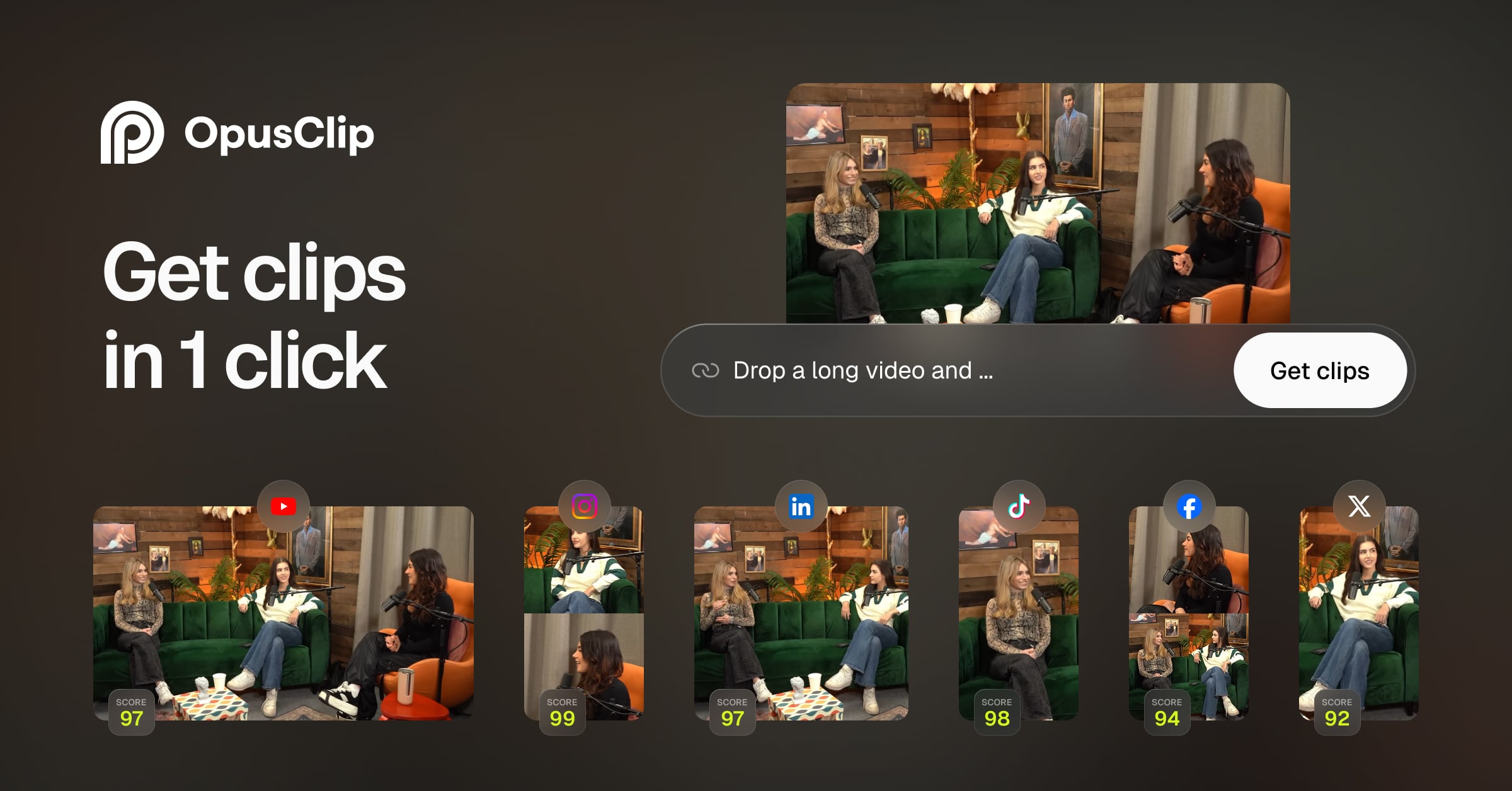
At its core, Opus Clip is an AI-powered video repurposing tool. Feed it a long video — a podcast, webinar, interview, livestream, product demo — and it automatically finds the most engaging moments, cuts them into short clips, adds animated captions, reformats everything for vertical viewing, and ranks each clip by its predicted viral potential.
Think of it like a gold panning machine for video content. A prospector dumps a bucket of river sediment in, and the machine shakes, filters, and separates until only the gold nuggets remain. Except instead of gold, it's the 60-second moments from a two-hour podcast that will actually make someone stop scrolling.
Founded in January 2022, Opus Clip hit 5 million users within seven months and crossed 10 million by early 2025 — growth numbers that make most SaaS startups weep into their pitch decks. The core audience? Content creators, social media managers, marketing agencies, and any business that's sitting on a mountain of long-form video but doesn't have the hours (or the budget) to chop it up manually.
How It Works (Shockingly Simple)
The entire workflow takes about four steps:
- Upload or paste a link. Drop in a video file, or just paste a YouTube/Vimeo URL. Opus Clip handles the rest.
- AI analyzes the full video. The ClipAnything engine scans visual cues, audio sentiment, speech patterns, and topic transitions to identify the most engaging moments.
- Clips appear, ranked by virality. Each clip gets an AI Virality Score — a prediction of how well it'll perform on social media. High-scored clips float to the top.
- Edit (optional) and export. Tweak captions, adjust timing, apply brand templates, and export directly in the right format for TikTok, Reels, YouTube Shorts, or LinkedIn.
The magic is in step two. Opus Clip's AI doesn't just randomly chop video into 60-second chunks. It understands context— where a thought begins and ends, when a speaker lands a particularly compelling point, where emotional peaks happen. About 80% of generated clips are ready to post with minimal adjustments. The other 20% might need a trim or a caption fix, but that's worlds away from starting from scratch.
Where Opus Clip Earns Its Reputation
The Virality Score Is Surprisingly Useful
Every clip gets rated on a 0-100 scale based on how well it matches patterns that perform on social media. Is it a complete thought? Does it have emotional range? Does it open with a hook? It's not magic — a high score doesn't guarantee millions of views — but it saves enormous time by sorting the "probably great" clips from the "meh" ones. Instead of watching 15 clips to find the three worth posting, just start at the top of the list.
ClipAnything Handles More Than Talking Heads
Early AI clipping tools only worked with podcast-style talking head videos. Opus Clip's ClipAnything model handles vlogs, gameplay, sports highlights, cooking videos, and content with little to no dialogue. It reads visual and audio cues simultaneously, which means it can clip a cooking demo at the exact moment the dish comes out of the oven, not just when someone says something interesting.
Captions That Don't Look Like Captions
The animated caption system syncs with speech patterns and emotional peaks. They're not the generic white-text-on-black-bar captions that scream "I used a free tool." They're styled, animated, and customizable — and since 85% of social video is watched on mute, this alone justifies the tool for many users.
ReframeAnything Handles the Vertical Problem
Got a landscape webinar recording? Opus Clip automatically reformats it to 9:16 vertical while keeping the speaker centered and in frame. This sounds simple until you've tried doing it manually — it's surprisingly tedious, especially when speakers move around.
Brand Templates Keep Things Consistent
For agencies and marketing teams managing multiple brands, Opus Clip lets you save brand templates — colors, fonts, logo placement, intro/outro sequences — that automatically apply to every generated clip. Consistency without repetitive manual work.
Where It Falls Short (The Honest Part)
The Credit System Can Be Confusing
Opus Clip charges by processing minutes, not output clips. One minute of uploaded video = one credit. So a 60-minute podcast costs 60 credits to process, regardless of how many clips come out. The Free plan gives 60 credits per month (enough for one long video). The Starter plan gives 150. This means heavy users burn through credits fast, and if you're processing multiple long videos weekly, costs add up.
Customer Support Has Rough Edges
This is the elephant in the room. Opus Clip has a 2.4 out of 5 on Trustpilot, with recurring complaints about billing issues, difficulty canceling subscriptions, and unresponsive support. The core product gets praise; the business operations around it get heat. Worth noting: this seems to be improving, but it's a legitimate concern — especially for teams managing company credit cards.
AI Doesn't Replace Editorial Judgment
About 80% of clips are genuinely good. The other 20% might clip mid-thought, miss context, or choose a moment that makes sense in the full video but feels weird as a standalone. Every batch still needs a human eye before posting. It's a tool that gets you 80% of the way in 10% of the time — but the last 20% still needs a person.
Built-In Editor Is Basic
If a clip needs more than a caption tweak, Opus Clip's editor won't cut it. Serious adjustments — layering graphics, multi-track audio, precise color grading — still require exporting to Premiere Pro, DaVinci Resolve, or similar. The Pro plan does support Adobe Premiere export, which helps.
Web-First, Mobile-Limited
Opus Clip is primarily a web tool. There's no full mobile app for on-the-go editing. Content can be viewed on mobile browsers, but the real workflow happens at a desktop. For social media managers who live on their phones, this matters.
Pricing: What It Actually Costs
| Plan | Monthly Price | Processing Credits | Key Features |
|---|---|---|---|
| Free | $0 | 60 min/month | Core AI clipping, captions. Watermark on exports. Projects saved 3 days |
| Starter | $15/month | 150 min/month | No watermark, Virality Score, direct publishing |
| Pro | $29/month | 300 min/month | Brand templates, team workspace, AI B-roll, Adobe export |
| Business | Custom | Custom | API access, dedicated support, custom credit packages |
Annual billing saves roughly 40% across all plans.
The math that matters: A freelance video editor charges $50-150 per short clip. Opus Clip's Pro plan at $29/month can generate 30+ clips from a single long video. Even accounting for the 20% that need human polish, the ROI is hard to argue with.
Privacy and Data Security
Short version for enterprise buyers:
- Data encryption in transit and at rest
- Temporary storage — files are processed and removed after export unless manually saved
- No public data training — Opus Clip states uploaded content isn't used to train models shared with other users
- User controls — all uploaded videos can be permanently deleted from the account at any time
- SOC 2 compliance — reported but worth independently verifying for enterprise procurement
- GDPR considerations — the platform serves global users; verify specific data residency requirements for your region
For teams handling sensitive content (internal comms, pre-launch product demos), review Opus Clip's data processing terms directly. The security posture is solid for a content tool, but it's not built for classified material.
Who Should Use Opus Clip?
Perfect fit:
- Marketing teams that produce webinars, podcasts, or interviews and need to repurpose them across social channels
- Agencies managing multiple client brands who need volume output with brand consistency
- Solo creators and podcasters who want to grow on short-form platforms without hiring an editor
- Sales enablement teams turning product demos into bite-sized prospect-facing clips
- Anyone sitting on a library of long-form video content that's collecting digital dust
Probably not the right fit:
- Teams that need full creative control over every edit (Opus Clip automates, not customizes)
- Companies producing text-first content (blog posts, articles) — tools like Lumen5 or Pictory handle text-to-video better
- Anyone who needs mobile-first workflow
- Organizations with strict data residency requirements (verify before committing)
The Bottom Line
Opus Clip does exactly one thing — turn long videos into short ones — and does it faster and more reliably than almost anything else on the market. The AI Virality Score is genuinely useful for prioritizing output. The caption quality is excellent. The speed is remarkable.
The rough edges are real: the credit system takes some getting used to, the customer support needs work, and about 20% of clips still need a human touch. But the core value proposition — turning a 45-minute recording into a week's worth of social content in 10 minutes — holds up under real-world use.
Ten million users in three years isn't a marketing trick. It's what happens when a tool actually saves people meaningful time. For any business or creator producing long-form video, Opus Clip belongs in the toolkit.
Rating: 4.2/5
Best for: Marketing teams, agencies, podcasters, and creators who need high-volume short-form content from existing long-form video.
Try it free at opus.pro
Got a tool you want us to review? Drop us a note at AIIXX.AI — we dig into the tools nobody's talking about yet so you don't have to.